Full Site in the Browser
GoKong's mobile browser delivers the complete catalogue of 3,000+ pokies and live dealer tables from Pragmatic Play and Evolution Gaming on any modern smartphone.
App at GoKong: Mobile Version Explained
Play GoKong on any smartphone or tablet via the mobile browser or install a PWA shortcut for one-tap access. Full pokies, live dealer tables and AUD banking - no app store required.
Mobile Security Best Practices
What You Should Do
What You Should Avoid
GoKong Mobile Experience
Pros
Cons
GoKong on Mobile
Play GoKong on any smartphone or tablet via the mobile browser or install a PWA shortcut for one-tap access. Full pokies, live dealer tables and AUD banking - no app store required.
Play on Your Phone Players must be 18+. Gambling can lead to addiction, so play responsibly. Bonus terms apply.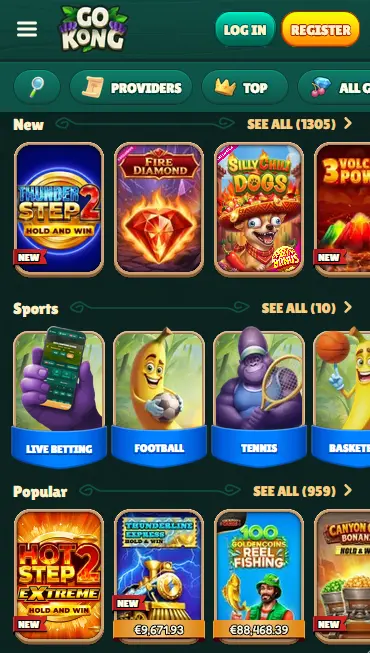
How to Access GoKong on Mobile
What Makes GoKong Mobile Stand Out
Full Site in the Browser
GoKong's mobile browser delivers the complete catalogue of 3,000+ pokies and live dealer tables from Pragmatic Play and Evolution Gaming on any modern smartphone.
Instant Load, No Download
No APK file, no App Store listing and no storage space needed. The mobile-optimised site loads in seconds and keeps all game and account functions within reach.
SSL-Secured Mobile Sessions
Every mobile session runs over the same SSL encryption as the desktop site, protecting your AUD transactions and personal data on any network.
Device Requirements
Android
iOS
GoKong’s mobile browser delivers the complete game library without any reduction for smaller screens. Every title in the desktop catalogue is accessible on mobile, and the most popular categories play particularly well in a handheld format.
The pokies section is the largest part of the catalogue, and the mobile lobby opens on a New row, a Sports row and a Popular row that scroll sideways with a thumb. Pragmatic Play titles such as Gates of Olympus (RTP 96.5%), Sweet Bonanza (RTP 96.5%) and Wolf Gold (RTP 96.0%) load with full bonus-round animations on modern smartphones. NetEnt’s Starburst and Gonzo’s Quest are similarly optimised for touchscreen play. Big Time Gaming’s Bonanza Megaways (RTP 96.0%) and Play’n GO’s Book of Dead (RTP 96.21%) run at their standard RTP on mobile, with no game mechanics altered by the platform. Demo mode is available on all pokies before committing real money.

Evolution Gaming’s live dealer catalogue streams to mobile at the same HD quality as desktop. Speed Roulette, Mega Roulette, Ruby Blackjack, Speed Baccarat and game shows such as Money Time and Gravity Wheel are all playable from a browser tab. Pragmatic Play Live tables are equally accessible. A stable Wi-Fi or 4G connection is recommended for uninterrupted live sessions.
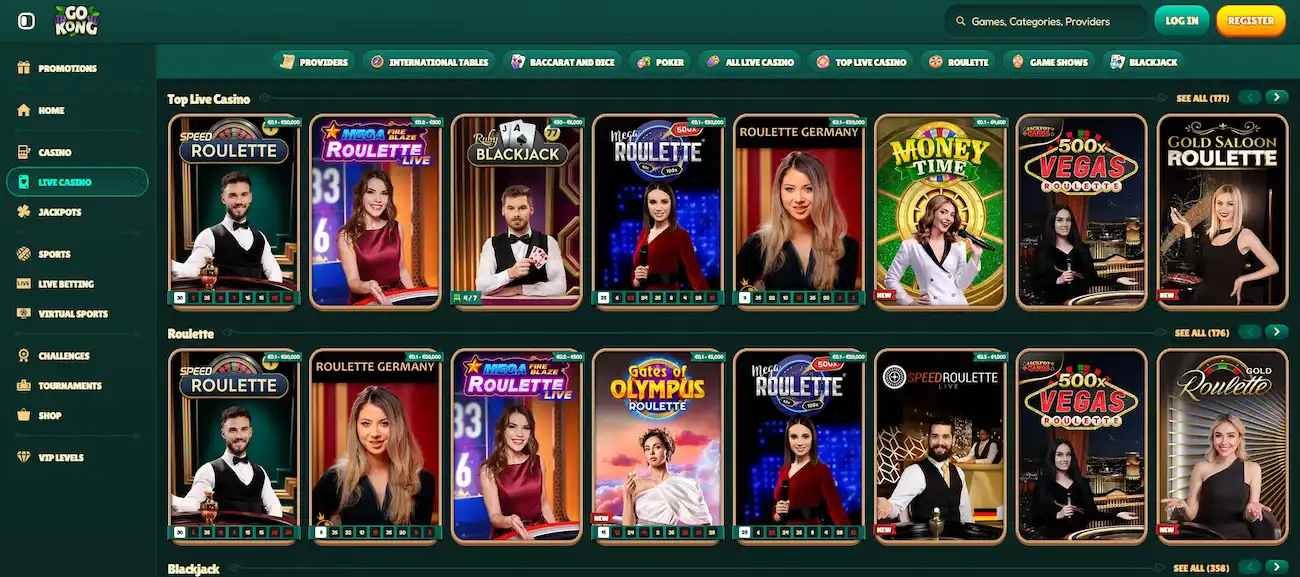
Standard digital table games including roulette, blackjack, baccarat and casino hold’em are fully touchscreen-optimised, with tap-to-bet controls and resizable interfaces.
Microgaming’s Mega Moolah and other progressive jackpot pokies are available on mobile, with jackpot counters displayed in real time. Playing from a smartphone does not reduce eligibility for jackpot prizes.
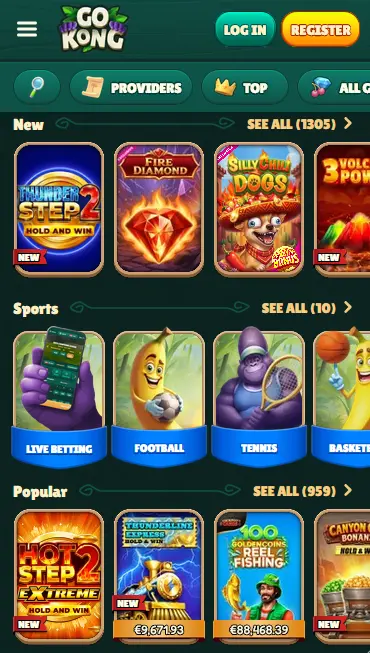
The GoKong mobile experience reproduces every desktop function within the browser. The lobby, bonus centre, account settings, cashier and live chat are all reachable from the navigation menu. Bonus balances and wagering progress are visible in the account panel, and the full transaction history loads in the cashier section.
The mobile and desktop experiences are functionally identical. The mobile layout adapts column counts and touch targets for smaller screens, and some promotional banners are resized for portrait orientation. There is no reduction in game availability, payment options or customer support access.
GoKong operates as a mobile-optimised website and PWA rather than a native application, which means compatibility depends on the device’s browser rather than its hardware specification.
GoKong runs on Android 5.0 and above. Chrome 80 or later is the recommended browser for the most consistent experience, though Firefox 75 and other Chromium-based browsers also work. Hardware requirements are modest; any device capable of running a current version of Chrome handles the GoKong mobile site without difficulty.
iOS 12.0 is the minimum supported version. Safari is the default and recommended browser on iPhone and iPad. Chrome for iOS is a compatible alternative. The PWA shortcut installation process on iOS uses the Safari Share button and does not require an App Store listing.
| Platform | Minimum OS | Recommended Browser | Connection |
|---|---|---|---|
| Android | 5.0 | Chrome 80+ | 4G or Wi-Fi |
| iOS | 12.0 | Safari | 4G or Wi-Fi |
GoKong does not distribute a downloadable APK file or a native iOS application. Access is through the mobile browser, with an optional PWA shortcut for convenience.
Open Chrome on your Android device and navigate to gokongaussie.com. The site loads in the mobile-optimised layout automatically. To install the PWA shortcut, tap the three-dot menu in the top right corner of Chrome, select “Add to Home Screen”, give the shortcut a name and confirm. The icon appears on your home screen. Future visits launch from this icon and open GoKong without a browser address bar, closely resembling a native app experience.
Open Safari on your iPhone or iPad and navigate to gokongaussie.com. Tap the Share button at the bottom of the screen (a box with an upward arrow). Scroll through the share sheet and tap “Add to Home Screen”. Enter a name for the shortcut and tap “Add” in the top right corner. The GoKong icon is added to your home screen and opens the site directly when tapped.
The PWA shortcut approach on both platforms removes the need to type the address each visit and preserves login sessions across visits (subject to browser privacy settings). No storage space beyond the shortcut itself is required, and because the site updates server-side, the PWA shortcut always opens the current version without any user action.
The full GoKong AUD cashier is available in the mobile browser. Accepted deposit methods include Visa, Mastercard, Neosurf vouchers, Skrill, Neteller, bank transfer, Bitcoin, Ethereum and Tether. All balances and transactions are in AUD, with no conversion applied.
| Method | Deposit | Withdrawal |
|---|---|---|
| Neosurf | Instant | Not applicable (deposit only) |
| Visa / Mastercard | Instant | 3-5 business days |
| Skrill | Instant | Up to 24 hours |
| Neteller | Instant | Up to 24 hours |
| Bitcoin | Under 10 minutes | Up to 24 hours |
| Ethereum | Under 10 minutes | Up to 24 hours |
| Bank transfer | Instant | 3-5 business days |
Every cashier transaction on mobile is protected by the same SSL encryption layer used on the desktop site. GoKong does not store raw card numbers; payment card transactions use tokenisation through the payment processor. Cryptocurrency transfers are processed directly on-chain with no third-party intermediary holding funds.
GoKong uses SSL (Secure Sockets Layer) encryption on all pages, including the login screen, cashier and account settings. The encrypted connection is established automatically each time you visit gokongaussie.com, and a padlock icon in the browser address bar confirms it is active.
Two-factor authentication is available through the account security settings. When enabled, a time-sensitive one-time code must be entered at login from any unrecognised device, including a new mobile browser or a different smartphone. This prevents unauthorised access even if your password is exposed elsewhere.
Players using a modern Android or iOS device can activate biometric login through their browser’s built-in support for fingerprint or face authentication. This replaces the password entry step for subsequent logins on the same device while maintaining full account security.
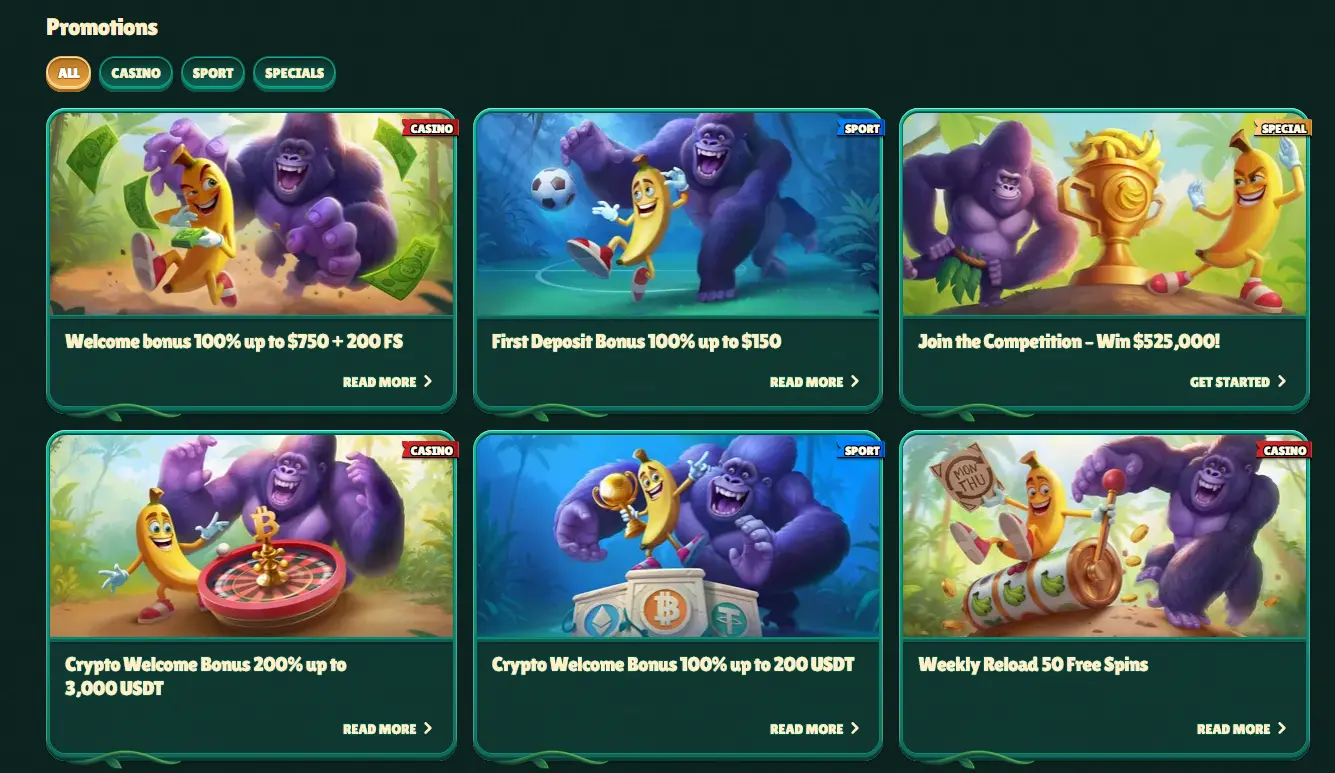
The GoKong welcome bonus is fully claimable through the mobile browser. After registering and completing a first deposit of at least $20 via the mobile cashier, the 100% match up to $750 and the 200 free spins on Pragmatic Play pokies are credited to the account in the same way as on desktop. Wagering requirements and validity periods are identical regardless of which device the bonus is claimed on. Full terms are at the bonus page. 18+ only. Gamble responsibly.
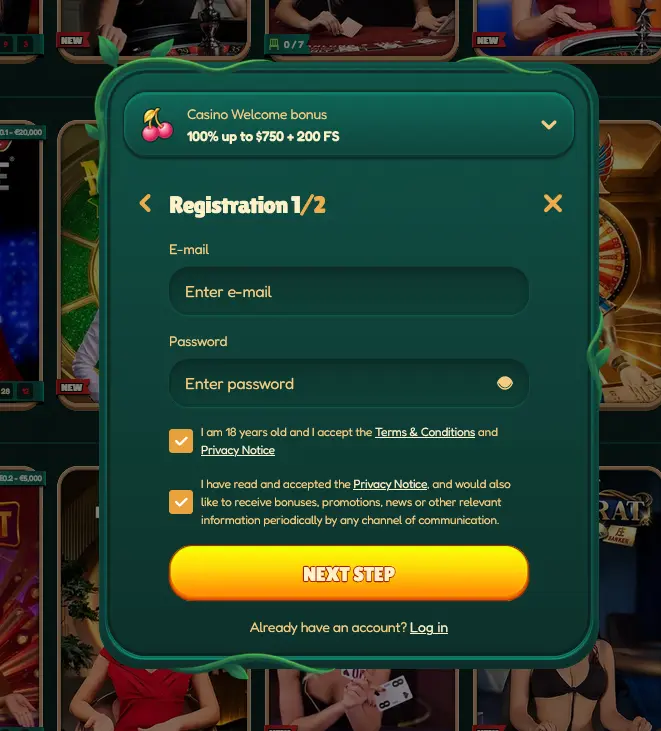
Registration is available through the mobile browser at gokongaussie.com. Tap the Register button, enter your email address and a password, tick the boxes confirming you are 18 or over and accept the Terms & Conditions and Privacy Notice, then press Next Step to finish the second part of the form. The process takes a few minutes and the welcome bonus stays selected in the dropdown at the top of the form.
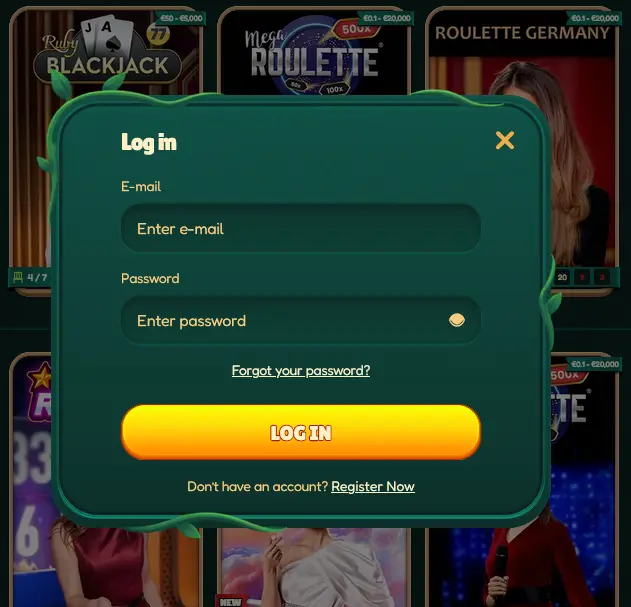
Use your registered email address and password to sign in through the mobile browser. If you have enabled two-factor authentication, enter the one-time code when prompted. Biometric login can be configured in the account security settings for faster subsequent sign-ins on a trusted device.
Live chat is accessible from the mobile browser through the chat icon on any page of the GoKong site. The support team is available 24/7 with average response times under 3 minutes. Email support is available at [email protected] for non-urgent queries, with responses typically within 24 hours.
GoKong’s responsible gaming tools are accessible from the account settings panel on mobile in the same way as on desktop. Deposit limits, session time reminders and self-exclusion options are all available. Players who feel their gambling is becoming a concern are encouraged to use these controls or seek independent support. The minimum age to play at GoKong is 18.
Mobile App Questions
No. GoKong does not currently have a native app listed on Google Play or the App Store. The full site runs via the mobile browser, and a PWA shortcut can be installed on your home screen for one-tap access.
Yes. All Pragmatic Play pokies and Evolution Gaming live dealer tables, including Speed Roulette and Ruby Blackjack, are fully accessible from the GoKong mobile browser on Android 5.0+ and iOS 12.0+.
Yes. The full AUD cashier is available in the mobile browser, including Neosurf voucher deposits, Visa, Mastercard and cryptocurrency options, with no difference from the desktop experience.
Because GoKong runs as a browser-based site rather than a native app, updates happen server-side and you always access the latest version simply by visiting gokongaussie.com in your browser. No manual update or reinstallation is required.
Start Playing GoKong on Mobile
Take 100% up to $750 plus 200 free spins on your first deposit.
Join GoKong Players must be 18+. Gambling can lead to addiction, so play responsibly. Bonus terms apply.